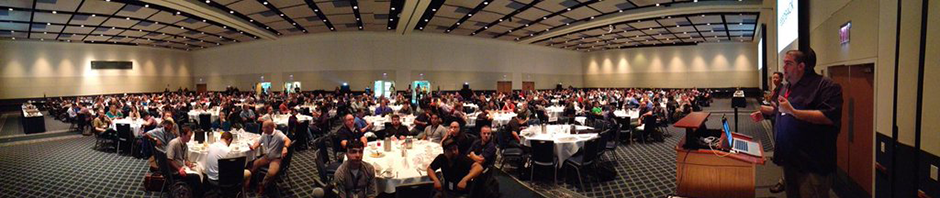
It seems like the whole Mac Admin community is moving towards installation-based deployment methods — and rightly so — but there are still many good reasons why you might want to build an image for deployment. Whether that image is minimal (“thin”), monolithic, or something in-between, this session will explore the tools you can use to create images modularly, including the latest addition to the Mac Admin’s toolkit, AutoDMG. If you are still using the “golden machine” method of image creation, there’s never been a better time to transition to more modern methods; this session can help!
Key Concepts:
Advantages of modular image creation over capturing a “golden machine”. Advantages/Disadvantages of deploying with an image. Principles for selecting what should be a part of an image and what is best left to other deployment methods. Ways to organize your packages (including InstaUp2Date). Possible workflows for modular image creation (using AutoDMG, SIU, InstaDMG).
Foundational Lecture – 75 Minutes
Anthony Reimer, University of Calgary
 Anthony has been the Head Technician of the Integrated Arts Media Labs at the University of Calgary (Canada) since 1996, supporting work with Macintosh computers and other digital technology in Music, Art, Drama and Dance. He regularly gives presentations on technology to artists and non-artists alike at conferences like the MacIT Conference, the Penn State MacAdmins Conference, and the Midwest Band and Orchestra Clinic. Anthony is an Apple Certified Technical Coordinator and has a Masters Degree in Music (Wind Conducting) as well as BMus and BEd degrees.
 Rich Trouton has been doing Macintosh system and server administration for over fifteen years and has supported Macs in a number of different environments, including university, government, medical research and advertising. His current position is providing support for Howard Hughes Medical Institute’s Janelia Farm Research Campus in Ashburn, Virginia.
 Project Manager with Advanced Learning project, involved in the creation of the One Button Studio.
 Sherwyn Saul is a detail-oriented and accomplished senior programmer with over 10 years of professional experience in the areas of analysis, web application development, desktop development, and client-server development. His proven ability to resolve issues, design effective solutions and successfully migrate application enhancements have been utilized by many companies in various environments. From startups and midsize businesses to enterprise companies as well as nonprofit, government and educational organizations; Sherwyn has a vast and diverse career history.
 I’ve been involved with Apple professional services for over 10 years now with experience in various business sizes as well as education. In 2013 I left the constraining walls of an office to found my own Apple consulting business. As a managed service provider, we focus on brining business into the future of cloud computing and management. We specialize in custom deployments of Casper and other enterprise class tools.
 Graham is the Lead Engineer at pebble.it in London, and is the creator of Crypt, a FileVault 2 escrow solution, and Sal, a reporting solution for Munki. He has a slight obsession with automating all of the things. He’s on Twitter at @grahamgilbert