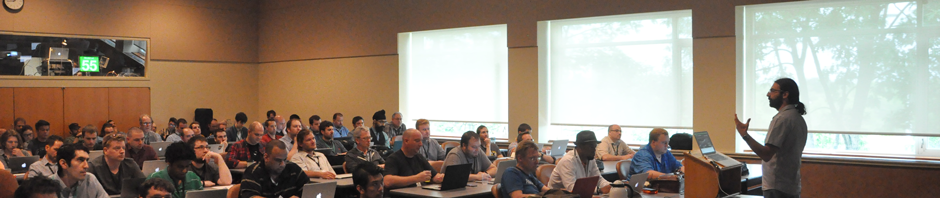
Ask us anything! Mac Admin veterans answer your questions

Speakers: Nick McSpadden & John Kitzmiller & Rich Trouton & Greg Neagle

Level: Fundamental, Hands-on (BYOD for attendees)

Excerpt: An open forum where a panel of Mac and iOS experts will answer any questions you have about managing Apple devices.

Description: Rich Trouton and [insert others here] will answer any questions about Apple device management. With a combined [however many] years of experience across many different solutions and environments, you’re sure to find an answer to any question you can come up with.


About the speakers

Greg Neagle (Twitter: @gregneagle) – Sr. Systems Engineer – Walt Disney Animation Studios

Greg is the engineer primarily responsible for deploying and managing OS X machines at Walt Disney Animation Studios, a studio with a long history of family entertainment reaching back to “Snow White and the Seven Dwarves” and forward to our latest films: “Zootopia” and “Moana”.

Disney Animation has released as open source several Mac management tools developed by Greg. Among those are Munki, a software deployment framework, Reposado, a platform-agnostic replacement for Apple’s Software Update service, and the “createOSXinstallerPkg” tool set. Greg is also a contributor to the popular AutoPkg tool.

Greg has presented on various aspects of OS X management at Macworld, Apple’s WWDC, the MacTech Conference, Penn State Mac Admins, and MacSysAdmin. He is a frequent contributor to MacTech Magazine.


Rich Trouton (Twitter: @rtrouton) – IT Technology Senior Consultant – SAP

Rich Trouton has been doing Macintosh system and server administration for over eighteen years and has supported Macs in a number of different environments, including university, government, medical research and advertising. His current position is at SAP, where he works with the rest of the Mac CoE team to support SAP’s Mac community.


John Kitzmiller (Twitter: @johnkitzmiller) – –


Nick McSpadden (Twitter: @mrnickmcspadden) – Client Platform Engineer – Facebook

Client Platform Engineer at Facebook. Started in education with a small fleet of Macs and iPads, and now works in a large-scale environment. Everything should be automated!

Posted in MacAdmins 2017 Sessions | Comments Off on Ask us anything! Mac Admin veterans answer your questions

Continuous Integration: An automation framework for Mac Admins.

Speakers: Wesley Whetstone

Level: Intermediate, Lecture

Excerpt: In recent years there has been an increase in automation tools for Mac administrators, such as munki, autopkg, Puppet, Chef, and Salt. In this talk we’ll discuss how you can automate these tools with continues integration to save even more time and perform more accurate tests to get the best results in your environment.

Description: A few years ago when the Mac Operations team at Square was just coming together we decided that we didn’t want to do IT like it has always been done. We wanting to take an engineering approach. Tools such as munki, autopkg, Puppet, Chef and Salt are all great tools for implementing automation into your environment. But we noticed we were still spending a lot of time monitoring the tools and the changes they made. This is when we started to look into Continuous Integration and how it could benefit us. Come join us as we discuss how new software changes get added, tested and deployed without any human admin interaction.


About the speaker

Wesley Whetstone (Twitter: @jckwhet) – Mac Operations Engineer – Square

Current lead of the Mac Operations team at Square, where we use a variety of open source and in house tools to manage our fleet of thousands of Macs..

Posted in MacAdmins 2017 Sessions | Comments Off on Continuous Integration: An automation framework for Mac Admins.

It’s Time for your JSS to Grow up and Move Out of the Mac Mini.

Speakers: Teri Grossheim

Level: Intermediate, Lecture

Excerpt: Pushing your JSS on your Mac mini to it’s limits? Wondering what you can do? Need help with options, and want some real world advice? Then come by and bring your questions!

Description: Pushing your JSS on your Mac mini to it’s limits? Wondering what you can do? Need help with options, and want some real world advice? Then come by and bring your questions!


About the speaker

Teri Grossheim (Twitter: @terigrossheim) – Systems Engineer – Jamf

Teri is currently a Channel Systems Engineer for Jamf. She’s an experienced and results-oriented technologist, consultant, and educator, Teri has held consultative, technical, and business development roles for two Fortune 1000 organizations as well as management roles in IT, higher education, software/mobile app development, and data analytics/business intelligence firms.

Posted in MacAdmins 2017 Sessions | Comments Off on It’s Time for your JSS to Grow up and Move Out of the Mac Mini.

Transferring Data (or How I Spend my Summer Vacation)

Speakers: Adam Wickert

Level: Fundamental, Lecture

Excerpt: Data is important! Users want their data transferred from their old system to their new one and there are lots of ways to do it. We’ll talk about different methods to transfer data, how permissions are affected and the pros and cons of each.

Description: To our users nothing is more important than their data! When a user has a system replaced they want their data moved to the new system, and they want it to work like it did before. There are many methods of transferring data and each of them have different effects on permissions. We’ll go through different connections and methods. Some are very easy, like copying from cloud storage, and others are more complex using terminal commands with specific flags. Together we’ll talk through all the options to get your users up and running on their new system.


About the speaker

Adam Wickert (Twitter: @atomargyle) – Desktop System Administrator – Hamilton College

A computer enthusiast who got interested in digital video and then got around to specializing in Mac support. Currently working in higher education in upstate New York, with experience in .gov. Also, a former Genius.

Posted in MacAdmins 2017 Sessions | Comments Off on Transferring Data (or How I Spend my Summer Vacation)

Imaging with Ivanti

Speakers: Steve Goodrich

Level: Fundamental, Lecture

Excerpt: Whether you are onboarding a new employee or resetting an entire lab, imaging your Macs can be a large part of your job. Come learn how Ivanti Endpoint Manager can help. We will also take some time to introduce you to other services provided by Ivanti software and give you a chance to ask questions about recent changes in the company.

Description: This session will focus on provisioning and imaging Macs using Ivanti Endpoint Management. We will try to keep the session fairly practical and technical. We also recognize that with the recent mergers and such, people are curious about where the company is going. We will take some time to help attendees understand our vision for future Mac administration.


About the speaker

Steve Goodrich (Twitter: @zepedebo) – Software Engineer, Apple Technologies – Ivanti

Steve is an Apple technologies specialist at Ivanti (or as his team like to say iVanti). Steve has been a professional software developer for over 30 years. He has written embedded systems, telecom engineering software, warehouse management systems, and integrated medical practice management and EHR software. Steve has extensive experience teaching and has taught a wide variety of classes including AI, database, UNIX system and network programming, compilers, Java, and software quality for Weber State University.

Posted in MacAdmins 2017 Sessions | Comments Off on Imaging with Ivanti